Lesson link not sent yet
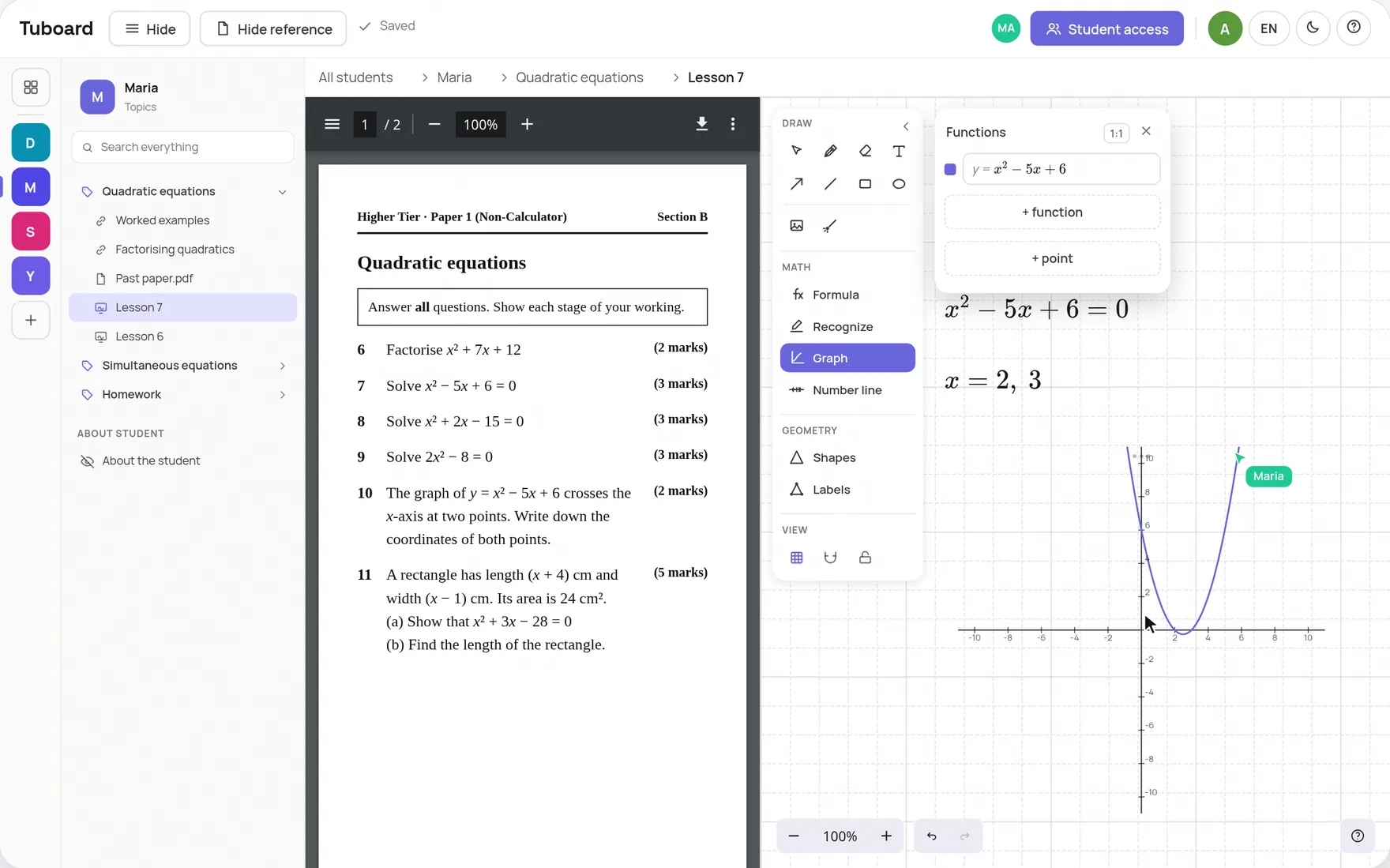
Your materials and your lesson, in the same place
One workspace per student. You teach the lesson inside it, your student joins by link, and afterwards there is nothing to send.
Create a workspaceFree while Tuboard is in beta. Keep Zoom or Meet for the call.
The problem
Right now your lessons live in a chat.
A worksheet sits on your screen during the lesson, in the chat after it and in a folder if you remember. Your student still asks which file was the right one.
The difference
Why not just a Zoom whiteboard or Miro?
Each student's materials stay between lessons
A Zoom whiteboard is filed under your Zoom account. Here the board, the PDFs and the notes stay in that student's workspace.
Formulas and graphs out of the box
Type a formula from the keyboard, plot a graph, draw a number line. No LaTeX and no other app.
The student joins in one click
They open your link and type their name. No account, no install.
“I prepared for IELTS like this. Writing 2, Writing 2 2 and writing2 FINAL all sat in one chat with my tutor, between messages about moving the lesson. Tuboard is the place I wanted then.”
With your call
Stay in Zoom or Meet. Tuboard is where the work lives.
Tuboard has no video, on purpose. You keep the call you and your student already use, and put Tuboard beside it.
Pricing
$0
Free while Tuboard is in beta
Take one student, run one lesson and tell us what broke.
Create a workspace- 3 workspaces you can edit on the free plan
- Boards, notes and files in the topic
- The student joins by link
- Export your materials to a file
From 1 December 2026, if you have more than 3 workspaces, the 3 you used most recently stay editable and the rest move to a read-only archive. Nothing in the archive is deleted, and you can still open and export it. Tutor Pro is planned at about $10 a month and is not open yet.
Questions
What people usually ask.
Can my student and I write on the same board?
Yes. Once your student opens the lesson link, you both write on one board and see each other's work as it appears. You can switch a student to view only.
How do I invite a student so we can work together?
Press Send lesson link in the student's workspace and paste the link into your Zoom or Meet chat, WhatsApp or an email. The student opens it, types their name and is on the board with you. There is one link per workspace, and it works until you revoke it.
Does my student need an account?
No. They open the link and type their name. Signing in with Google is optional, for a student who wants to open the workspace from another device.
Can I run a group instead of one student?
Yes. A workspace opens to several students: you send each of them the link and everyone works on the same board. You decide who can edit and who only watches.
What if I do not teach maths?
The workspace is the same: topics, notes, files and homework all work the same way. You simply will not need the formula palette. English and IELTS tutors run their lessons in Tuboard too.
How is this different from a whiteboard like Miro?
Miro stores a canvas. In Tuboard everything is gathered around the student: folders, topics, the textbook and homework. A formula is its own object, not a text label.
Where do I find the tool for writing formulas?
On a board, press Formula in the toolbar or M on the keyboard, then click where the formula should go. Inside a note it is Ctrl+M. Fractions, roots, integrals and matrices sit in the palette next to the cursor, so you do not need LaTeX, though it works if you prefer it.
Where are the materials stored?
In your browser while you are signed out. After you sign in they sync to your account, so the same workspaces open on another computer. Export can save a copy to a file whenever you want.
What will it cost?
Nothing during beta. A free account can create and edit 3 workspaces. Tutor Pro is planned at about $10 a month and is not open yet.
Try it on one student.
Create a workspace, put the next topic in it, send the link to your student. That is the whole setup.
Create a workspace